Applications & Proposals
Proposals that look the part
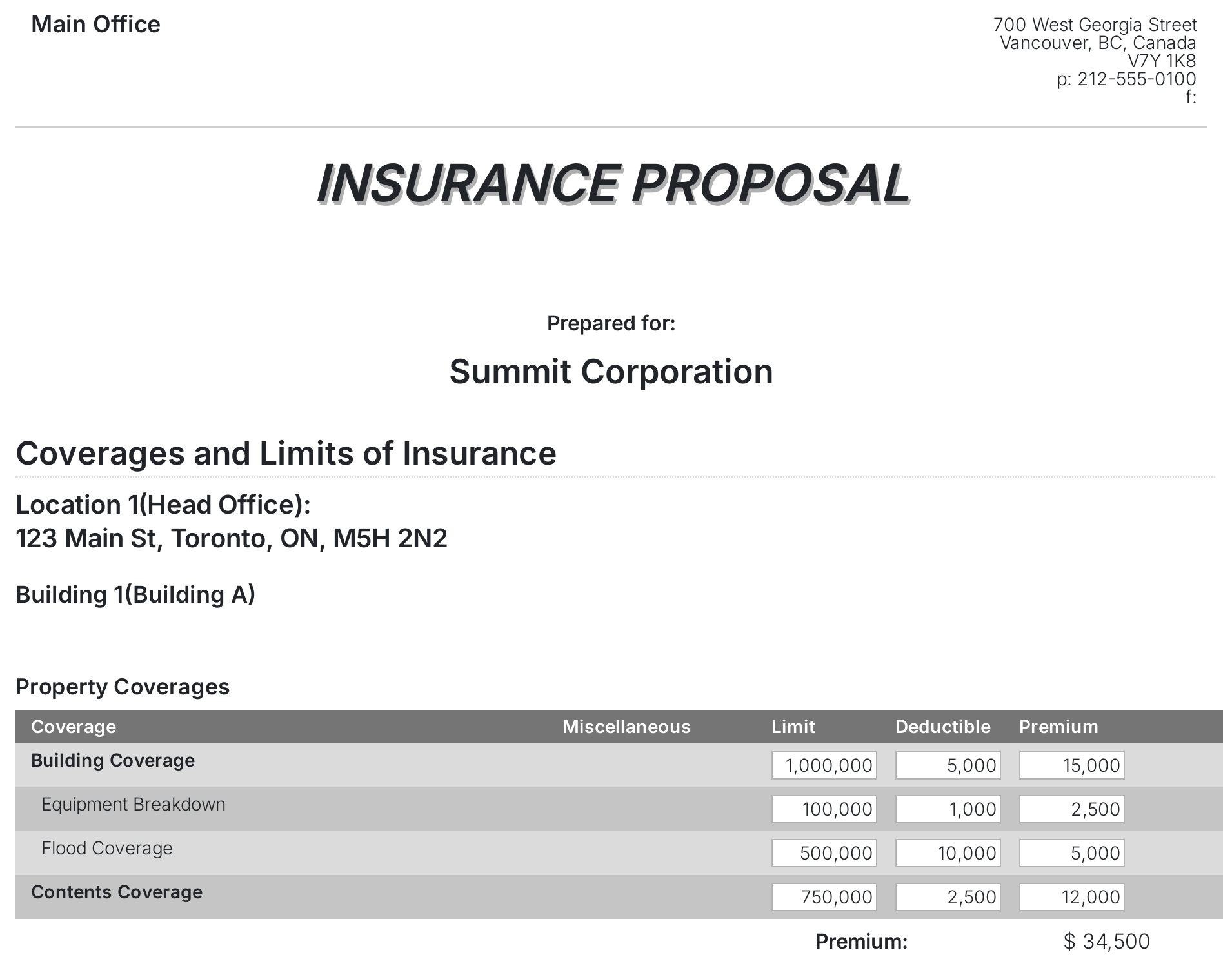
The quote is already in the client's file. Choose what to show and Insurital lays it out: coverages by location, optional limits and coverages, fees and taxes, with the policy wordings attached.
Applications & Proposals
The quote is already in the client's file. Choose what to show and Insurital lays it out: coverages by location, optional limits and coverages, fees and taxes, with the policy wordings attached.
The problem
Copy last year's proposal, retype the new limits, fix the totals, paste in the wordings, and hope nothing from last year's client slipped through. The proposal is what the client remembers you by, and it's the part with the least time spent on it.
How it works
Applications too
Build a complete application for insurers from the same details, with the supplements, values and loss history included. Clients who prefer paper can get a printable application form to fill in.
No. The proposal is built from the coverages and premiums already in the client's file. Change the file and the next proposal is up to date.
Yes. Optional limits and optional coverages appear in their own sections, with or without a premium, so the client can see what they're choosing between.
Yes. Coverage extension wordings and the client's own files can be added to the end of the PDF.
Get Started
We'll show you how Insurital can work for your brokerage.