Certificates
Certificates without the retyping
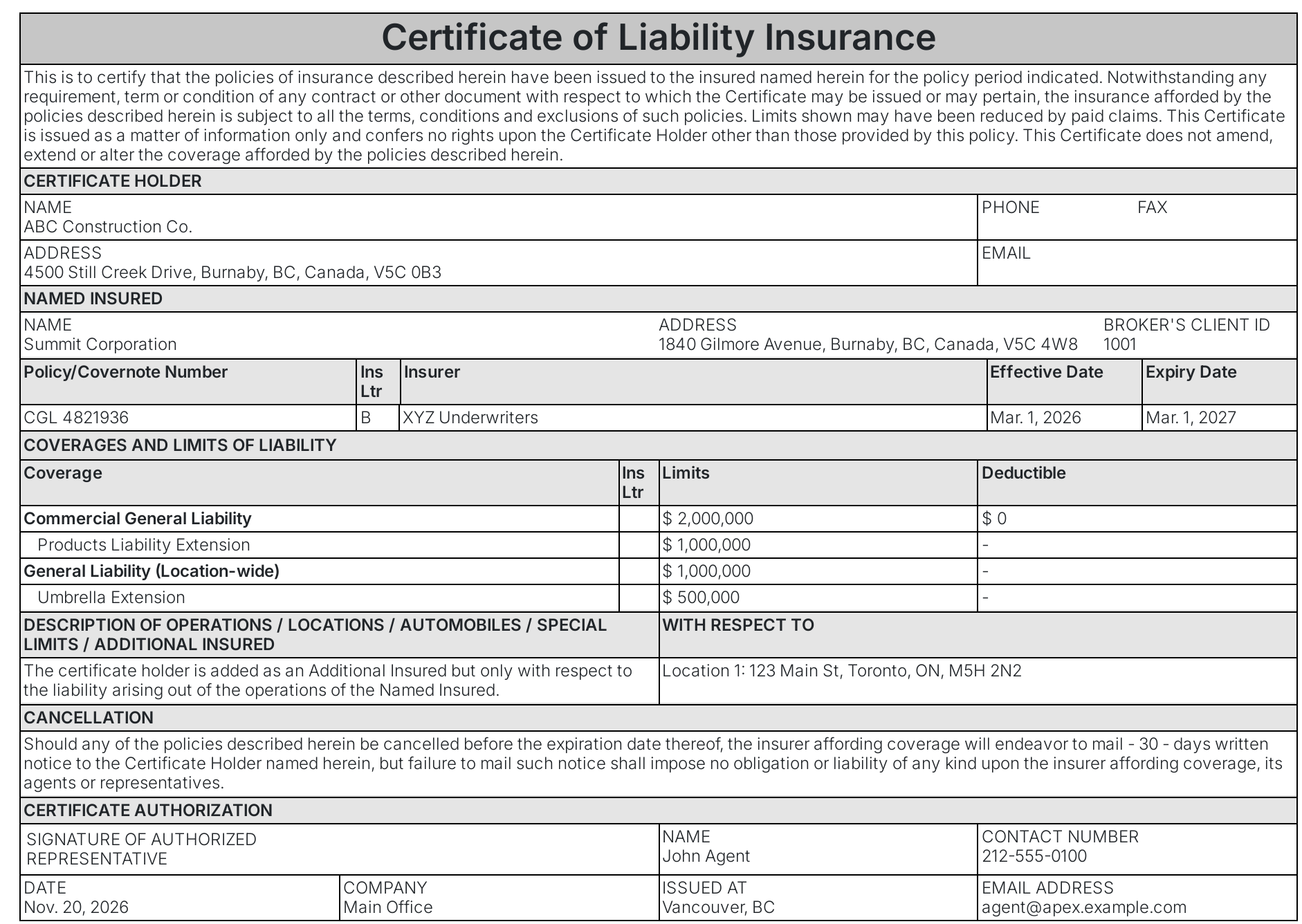
Policies, limits and insureds come straight from the client's file. Pick the holders, preview, and issue an ACORD or CSIO certificate of liability, or your own certificate.
Certificates
Policies, limits and insureds come straight from the client's file. Pick the holders, preview, and issue an ACORD or CSIO certificate of liability, or your own certificate.
The problem
A contractor needs proof of insurance for three job sites by tomorrow. Someone opens a blank form, retypes the policy numbers and limits, hunts down the holder's legal name from last year's email, and does it two more times. One wrong limit and it's an E&O problem.
How it works
Built for contractors and landlords
Clients who work for many owners, cities and general contractors need a certificate for each. Select the holders and Insurital makes one certificate for each, numbered in order and grouped together, ready to send.
No. The policies, insurers and limits come from the coverage you've already entered for the client. You choose what to show.
Select the holders and generate. You get one certificate per holder, grouped together, which you can email or download as a single ZIP.
No. Connect your Microsoft 365 account and certificates are sent from your own email address, so replies come back to you.
Commercial. Certificates are built from the client's commercial coverage.
Get Started
We'll show you how Insurital can work for your brokerage.